

What if you could create a website for your business free — without paying a developer, without learning to code, and without spending a single dollar?
That’s exactly what this guide is about.
We’re going to use Claude AI to build the website. Then we’ll use Systeme.io to put it online for free.
That’s it. Two free tools. One website. Let’s go.
Table of Contents
Prefer to watch instead of read? Full video walkthrough below 👇
Systeme.io — free website hosting, sales funnels, email marketing, all in one place. No credit card, no trial, just free. Create your free account here →
Step 1 — Create your Claude AI account
Go to claude.ai and create a free account. Takes about 30 seconds.
Once you’re in you’ll see a chat window. This is where we’ll give Claude instructions on what to build.
Now — Claude is going to need a detailed prompt to build the right website for your business. I’ve prepared one for you that you can grab from the description of the video. You don’t have to write it yourself.
Just open the prompt, make a few quick changes, and copy-paste it to Claude.
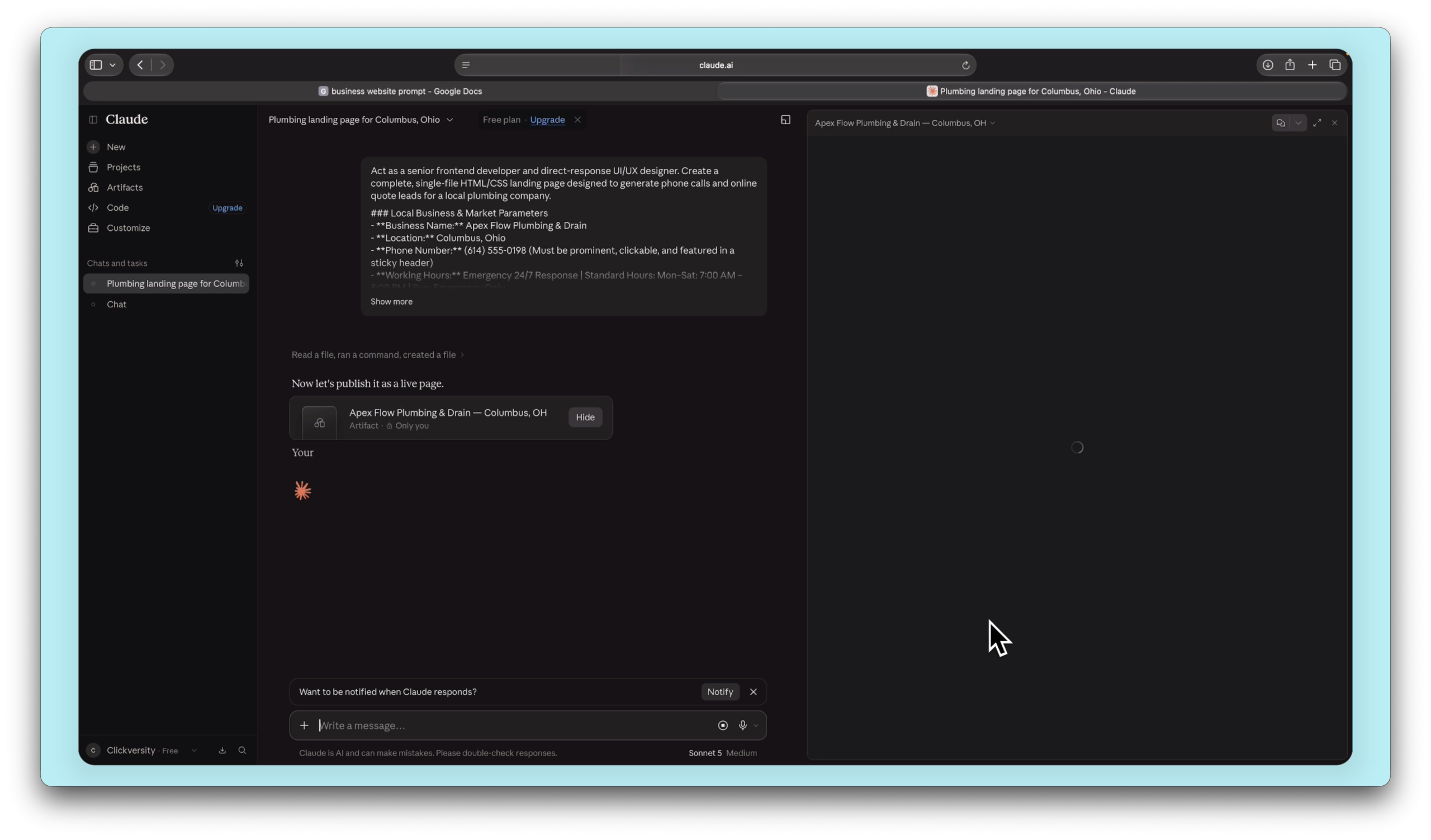
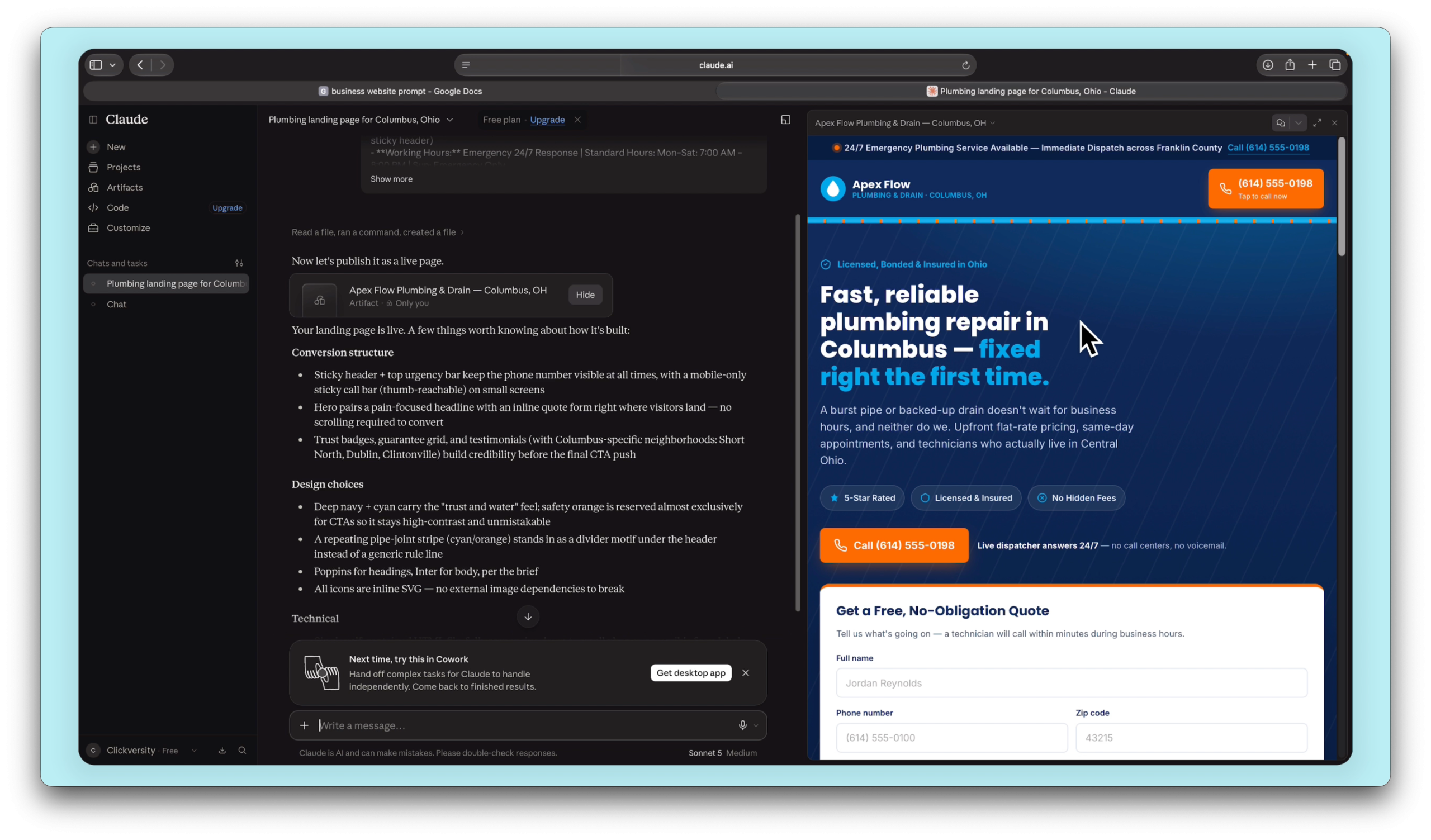
Once Claude finishes, it’ll show you a preview of the website right in the chat window.
And honestly — it looks really good.
If there’s anything you don’t like, just tell Claude to change it. Remove a section, change the colors, swap the text — just type what you want and Claude fixes it.
One thing I’d recommend — if the website has a contact form, tell Claude to remove it. Forms need extra tools to work properly and it’s just one more thing to set up. Better to keep it simple with just your phone number and email.
Just say something like: “Remove the form. Keep just basic contact info on the page.”
Done.
Now switch from the preview to the Code view. Copy all that code — you’ll need it in the next step.
Step 2 — Convert the code for Systeme.io
Before we paste the code anywhere, we need to run it through a quick converter.
Systeme.io has a free HTML converter tool — I’ll leave the link in the description. It makes your Claude-generated code fully compatible with Systeme.io.
Just paste your code there, click Convert, and copy the result.
That’s it. Seriously. One click.
Systeme.io — free website hosting, sales funnels, email marketing, all in one place. No credit card, no trial, just free. Create your free account here →
Step 3 — Put the website live on Systeme.io
Go to Systeme.io and log in. From the dashboard, go to Sites & Sales Funnels → Create.
Name it after your business, pick a domain — you can use Systeme.io’s free domain for now, or connect your own custom domain if you have one. Custom domain costs about $10 a year and looks way more professional if you’re running a real business.
Set the funnel type to Custom and hit Save.
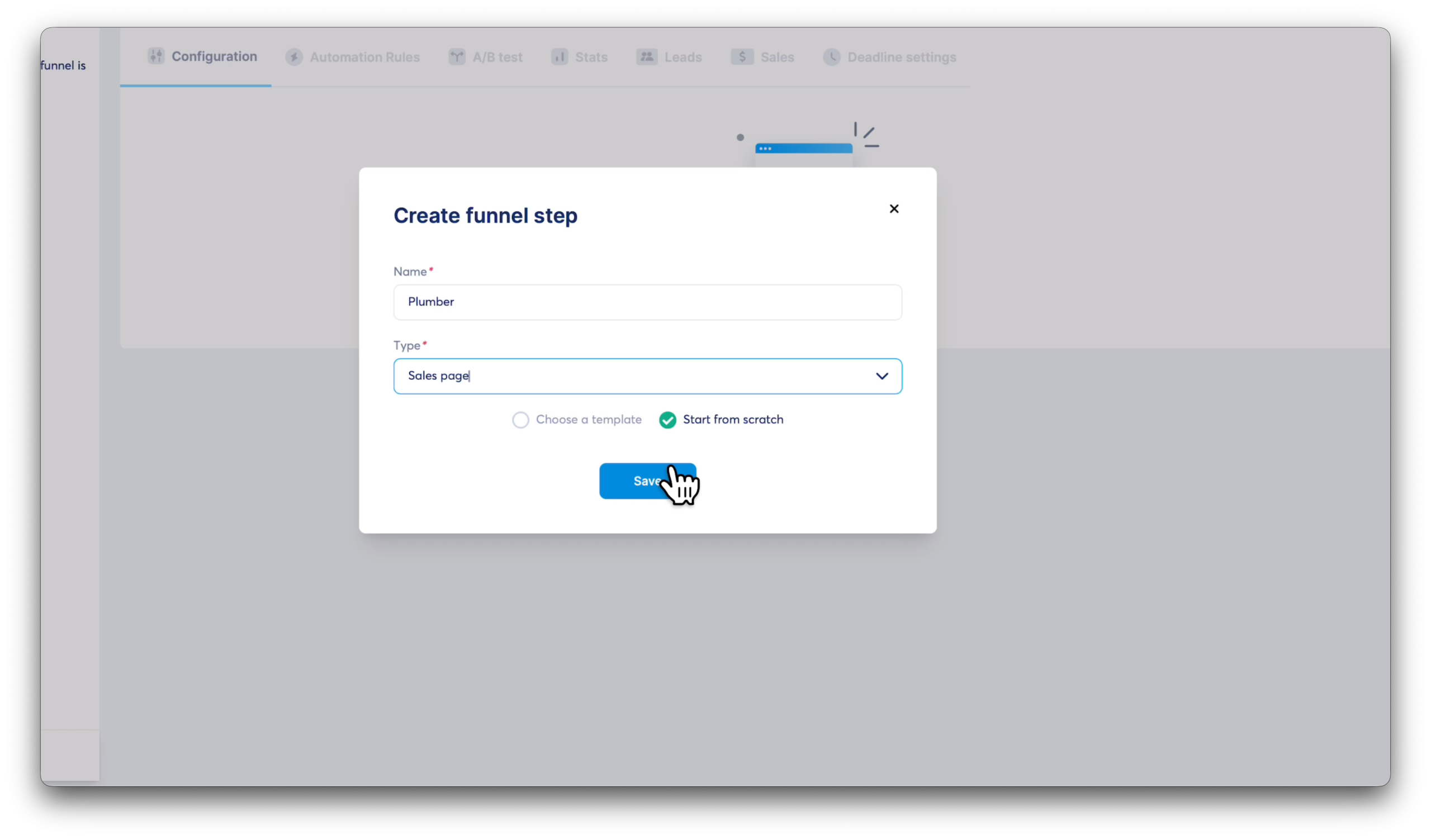
Once the funnel is created, click on the funnel name → Add Step → name it whatever you like → set the type to Sales Page → and make sure you select Start from scratch.
Save it.
Now for the URL — the bit after the slash in your domain — I’d delete it completely if you’re starting fresh so people just visit your plain domain. Clean and simple.
Click Edit Page to open the editor.
In the left sidebar, scroll down until you find Raw HTML. Drag it onto the page.
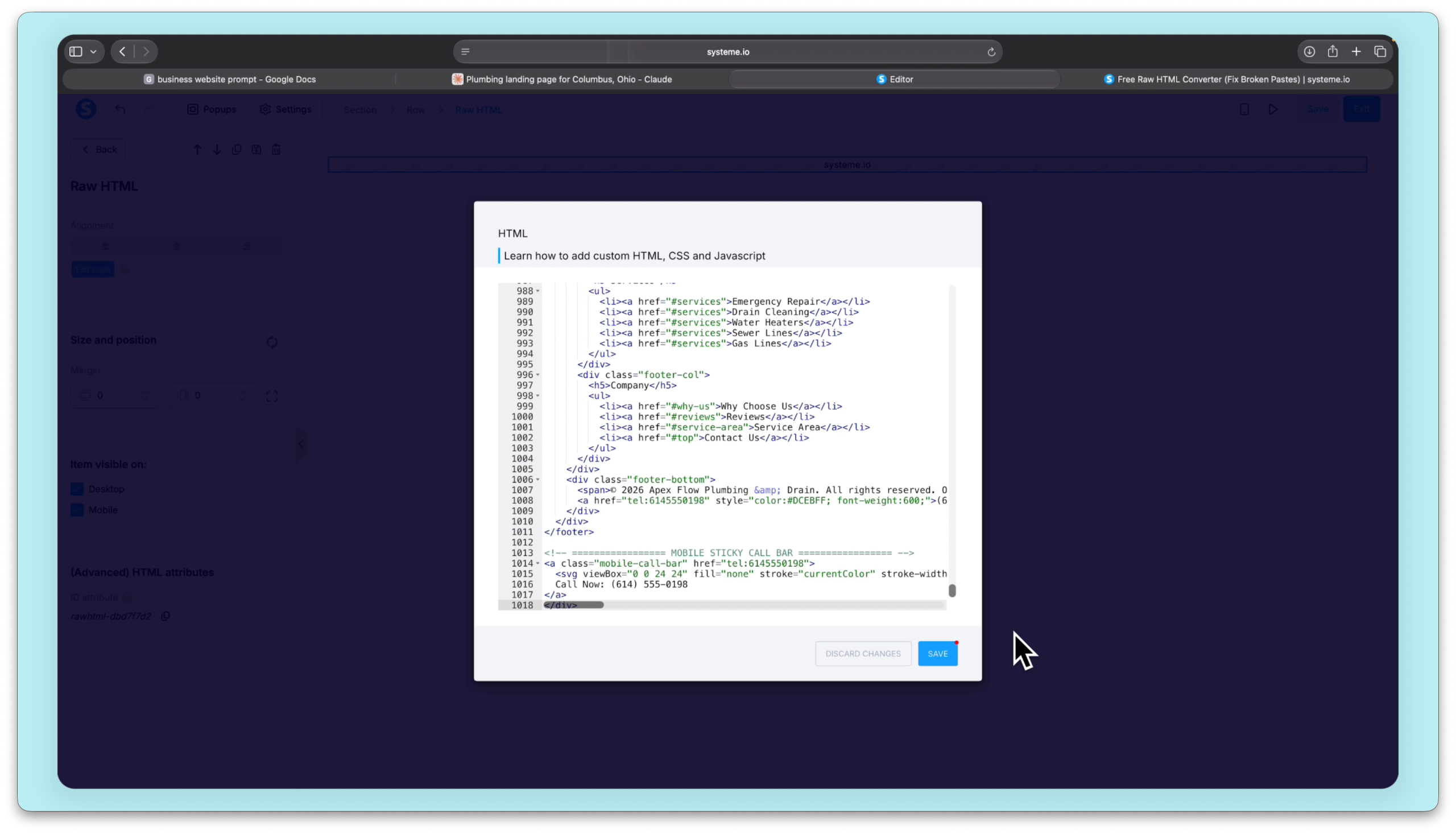
Click on the Raw HTML element → click Edit Code → delete anything that’s already in there → and paste your converted code.
Hit Save.
Almost done. One small thing to fix.
You’ll notice a white border around your website. That’s just the default padding.
Click on the white border → go to Padding → set everything to zero.
Then click on the outer Row → set Padding to zero again.
Save. Exit. Done.
Your website is now live. Copy the link and open it in a new tab to test it.
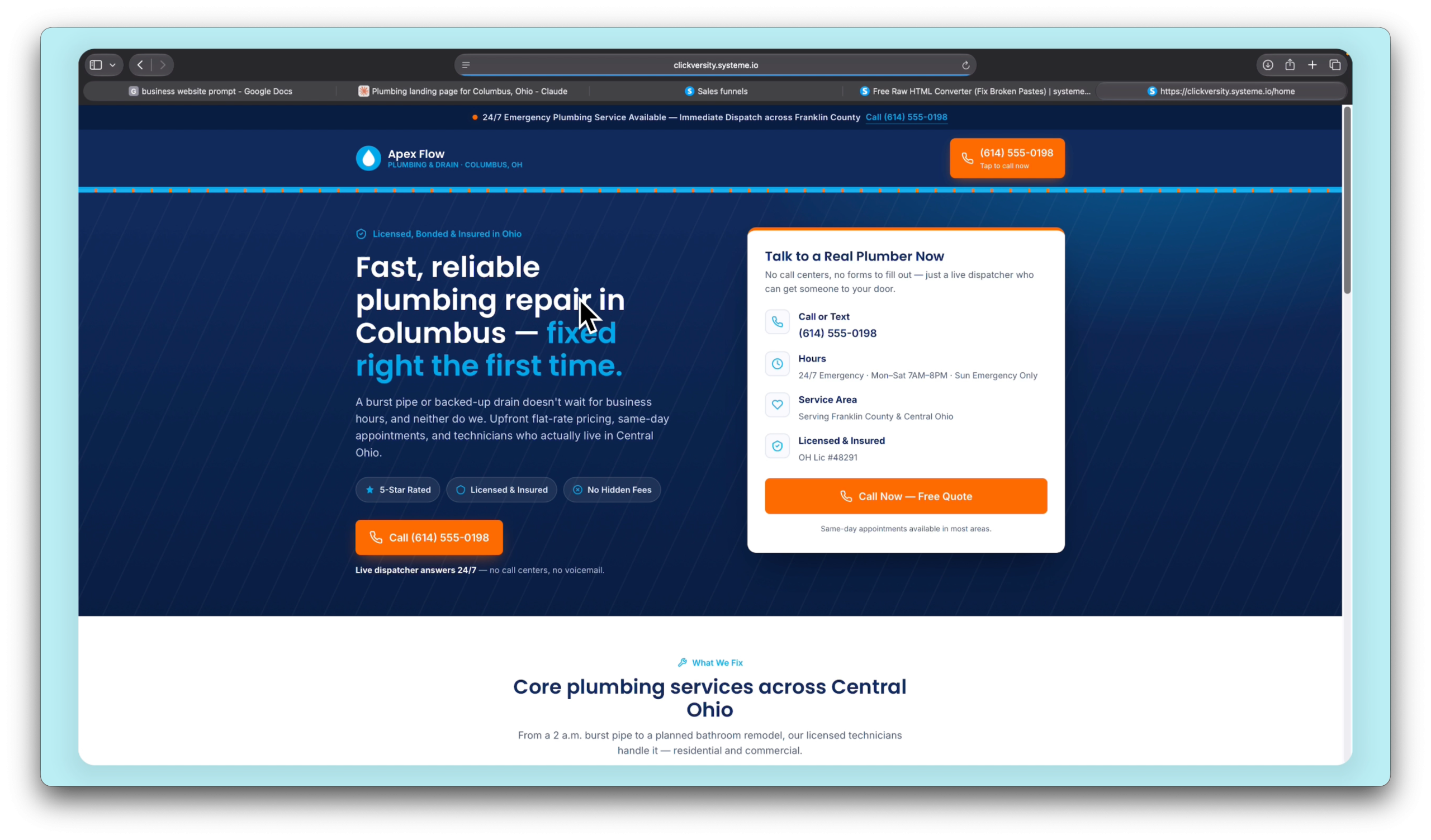
One more thing — check mobile
Before you share the link with anyone, go back to the editor and check the mobile view.
AI-generated websites don’t always look perfect on phones straight away. If something looks off, just go back to Claude and say: “Make the design responsive for mobile.”
Paste the new code in, save, and check again.
It might take a couple of rounds but you’ll get there. And still — zero dollars spent.
That’s the whole thing.
Claude builds it. You convert it. Systeme.io hosts it.
No developer. No monthly platform fees. No coding knowledge required.
If you can copy-paste, you can do this.
And the best part — if you want to change anything later, just go back to Claude, describe what you want different, and paste the new code in. Your website can evolve as your business does.
Create your free Systeme.io account and host your AI-built website today — no monthly fees, no credit card, no catch.
Start for Free with Systeme.io →Free forever · No credit card required · Custom domain supported